Windows High Memory Usage Fixes for Business PCs
High memory usage on Windows business PCs can slow down everyday work, from opening Microsoft 365 apps to joining Teams meetings or running line-of-business software. For small and mid-sized businesses in San Ramon, the East Bay, and the greater San Francisco Bay Area, those slowdowns can quickly turn into lost productivity and frustrated employees. The good news is that many Windows RAM issues have practical fixes—and when the problem points to something deeper, Blackhawk MSP can help you resolve it without disrupting your team.
Common Causes of High RAM Use on Business PCs
One of the most common causes of high memory usage is having too many applications running at once. Business users often keep Outlook, Teams, multiple browser tabs, cloud storage tools, accounting software, and security applications open throughout the day. Each program uses memory, and over time, the combined load can make even a relatively modern PC feel sluggish.
Startup programs can also quietly consume RAM before an employee even begins working. Many apps configure themselves to launch automatically when Windows starts, including update tools, printer utilities, chat apps, cloud sync software, and vendor-specific background services. While some of these are useful, others may be unnecessary and can contribute to slow boot times and poor performance.
Another possible cause is outdated software, poorly behaving browser extensions, or even malware. A Windows PC that has not been patched regularly may run less efficiently or become vulnerable to unwanted processes running in the background. For businesses, this is where managed IT and cybersecurity practices matter: high memory usage is sometimes a performance issue, but it can also be a sign that a device needs a closer security review.
Practical Windows Fixes Your Team Can Try
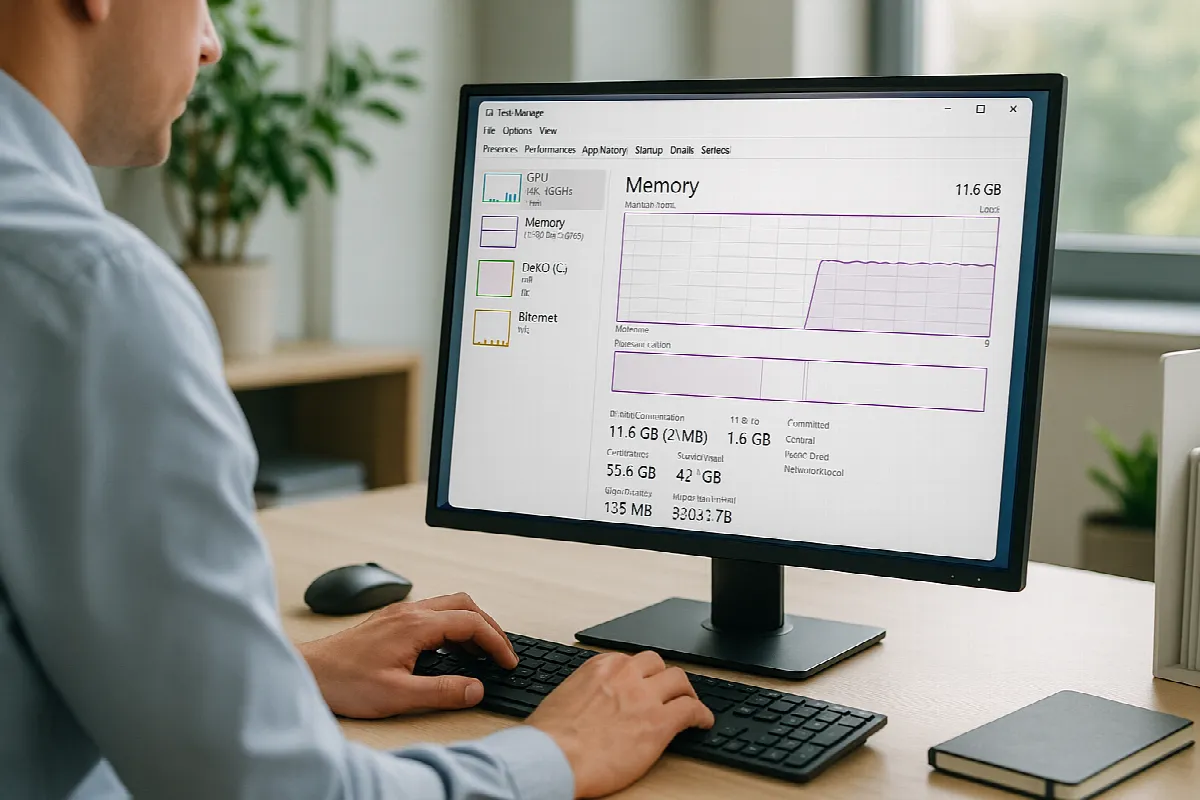
A good first step is to open Task Manager and review which apps are using the most memory. Employees can press Ctrl + Shift + Esc, select the Processes tab, and sort by Memory to see what is consuming RAM. If a program is using an unusual amount of memory, closing and reopening it may help. If the same app repeatedly causes problems, it may need an update, repair, or replacement.
Next, review startup apps. In Windows, go to Settings > Apps > Startup and disable nonessential programs that do not need to launch automatically. Be careful not to disable security tools, backup agents, or business-critical applications. For companies using managed IT support, it is often best to have your IT provider standardize startup settings so employees do not have to guess what is safe to turn off.
It also helps to keep Windows, Microsoft 365 apps, browsers, and security tools updated. Updates often include performance improvements and bug fixes that can reduce memory problems. If the PC is still slow, rebooting regularly, reducing excessive browser tabs, removing unused applications, and checking available disk space can all help. In some cases, the right fix may be a RAM upgrade or replacing an aging workstation that can no longer keep up with your business workload.
When San Ramon Teams Should Call Blackhawk MSP
If high memory usage affects multiple employees or keeps returning after basic troubleshooting, it is time to look deeper. The issue may be caused by outdated hardware, misconfigured software, endpoint security conflicts, background sync problems, or a business application that needs tuning. Blackhawk MSP can help identify whether the problem is isolated to one PC or part of a larger environment issue.
For San Ramon and East Bay businesses, we also look at the bigger picture: device health, cybersecurity, Microsoft 365 configuration, backup coverage, patch management, and helpdesk trends. A slow PC is sometimes just a slow PC, but repeated performance complaints can point to gaps in IT maintenance. With proactive managed IT services, many of these issues can be addressed before they interrupt the workday.
Calling Blackhawk MSP is especially helpful if your team does not have time to troubleshoot, if employees are using older PCs, or if you are unsure whether performance problems are connected to security risks. We can help clean up startup settings, review endpoint protection, check for suspicious activity, recommend hardware upgrades, and create a support plan that keeps your business systems running smoothly.
Windows high memory usage does not have to become a daily frustration for your business. With the right mix of practical fixes, proactive maintenance, and responsive helpdesk support, your team can stay productive and focused. If your San Ramon or Bay Area business is dealing with slow Windows PCs, contact Blackhawk MSP—we would be happy to help.